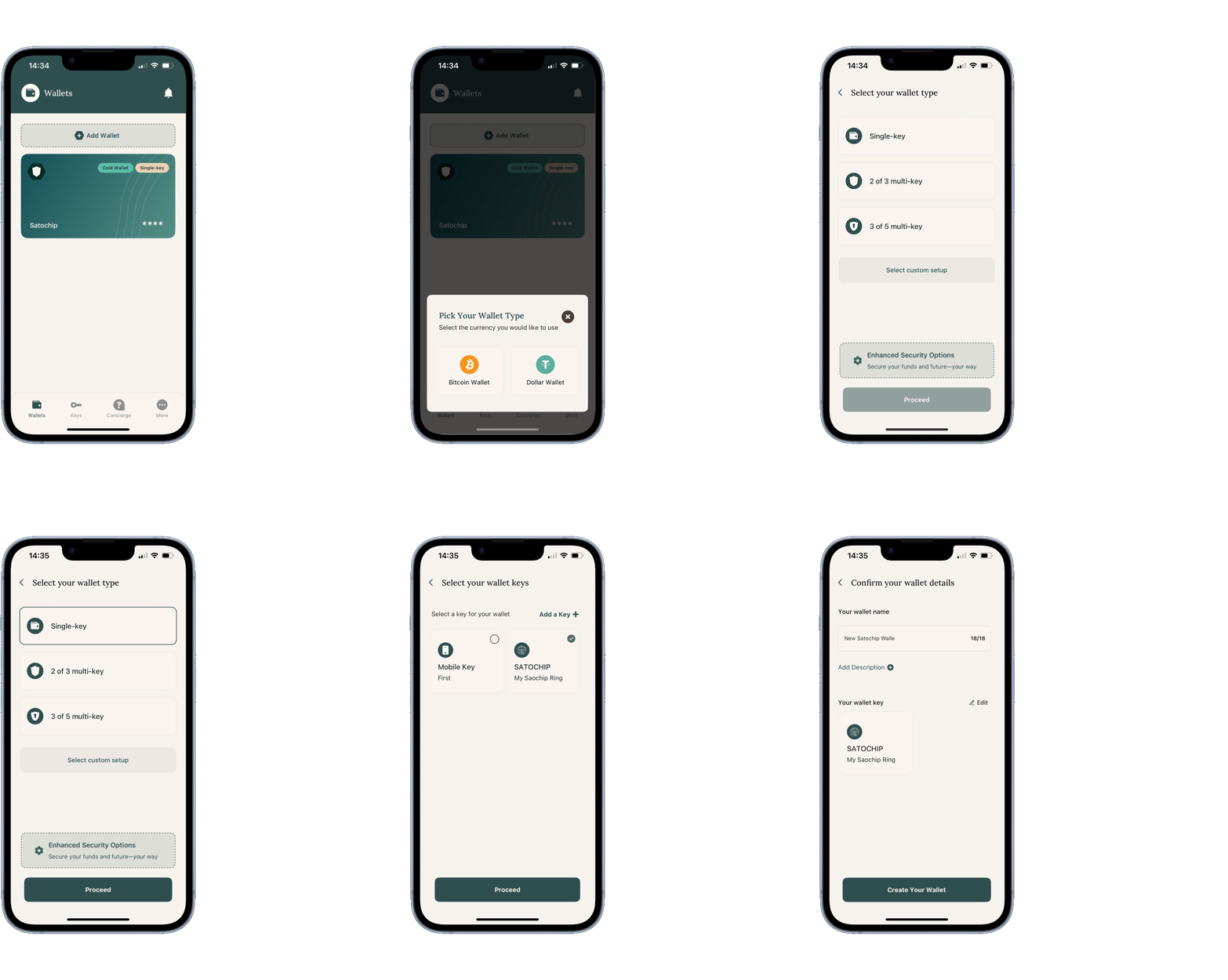

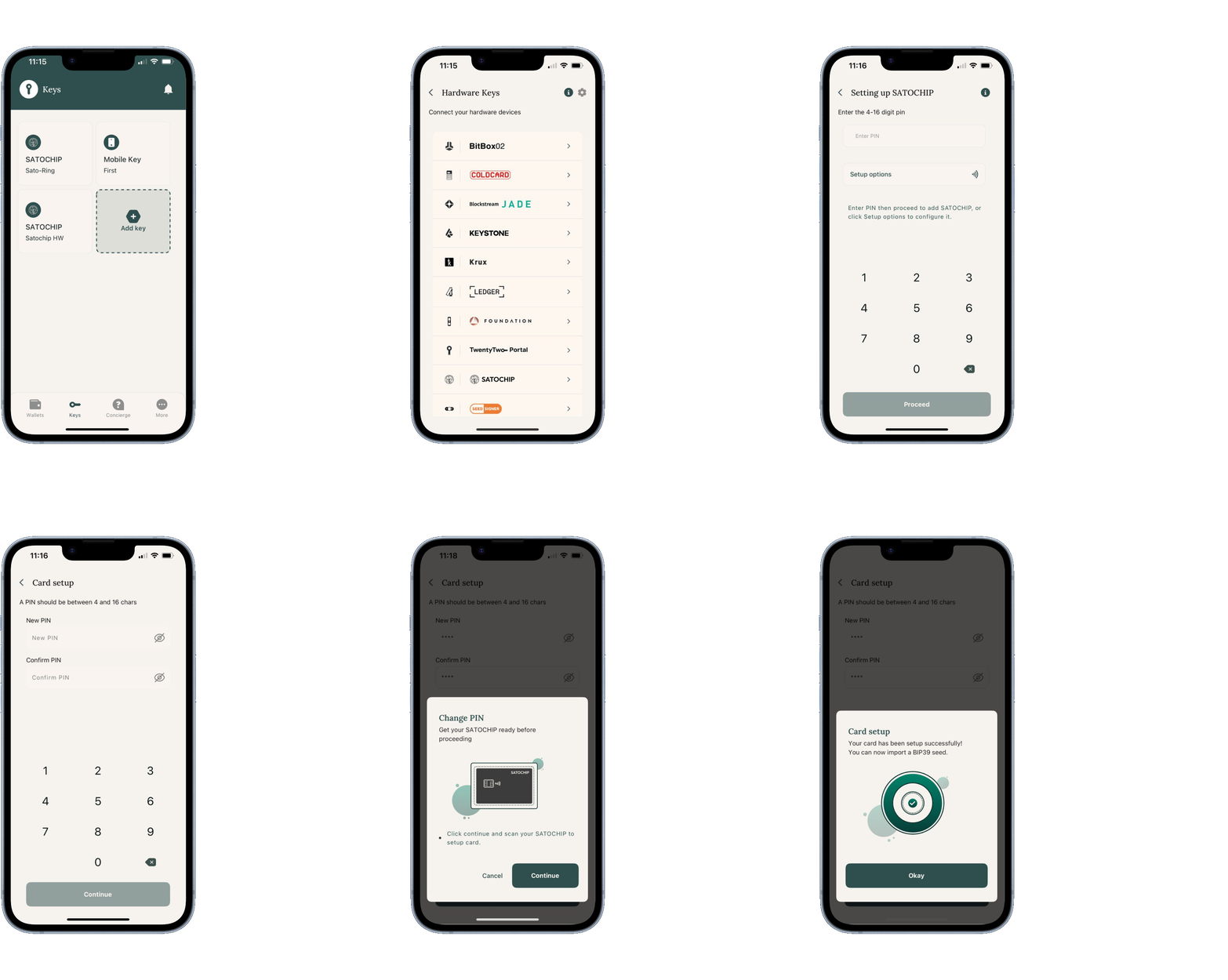
2. Initialize your Satochip with a PIN code
If your Satochip hardware wallet is already initialized (with a PIN code and a seedphrase), go to Step 4.
Congratulations! Your Satochip hardware wallet is now initialized with your personal PIN code.
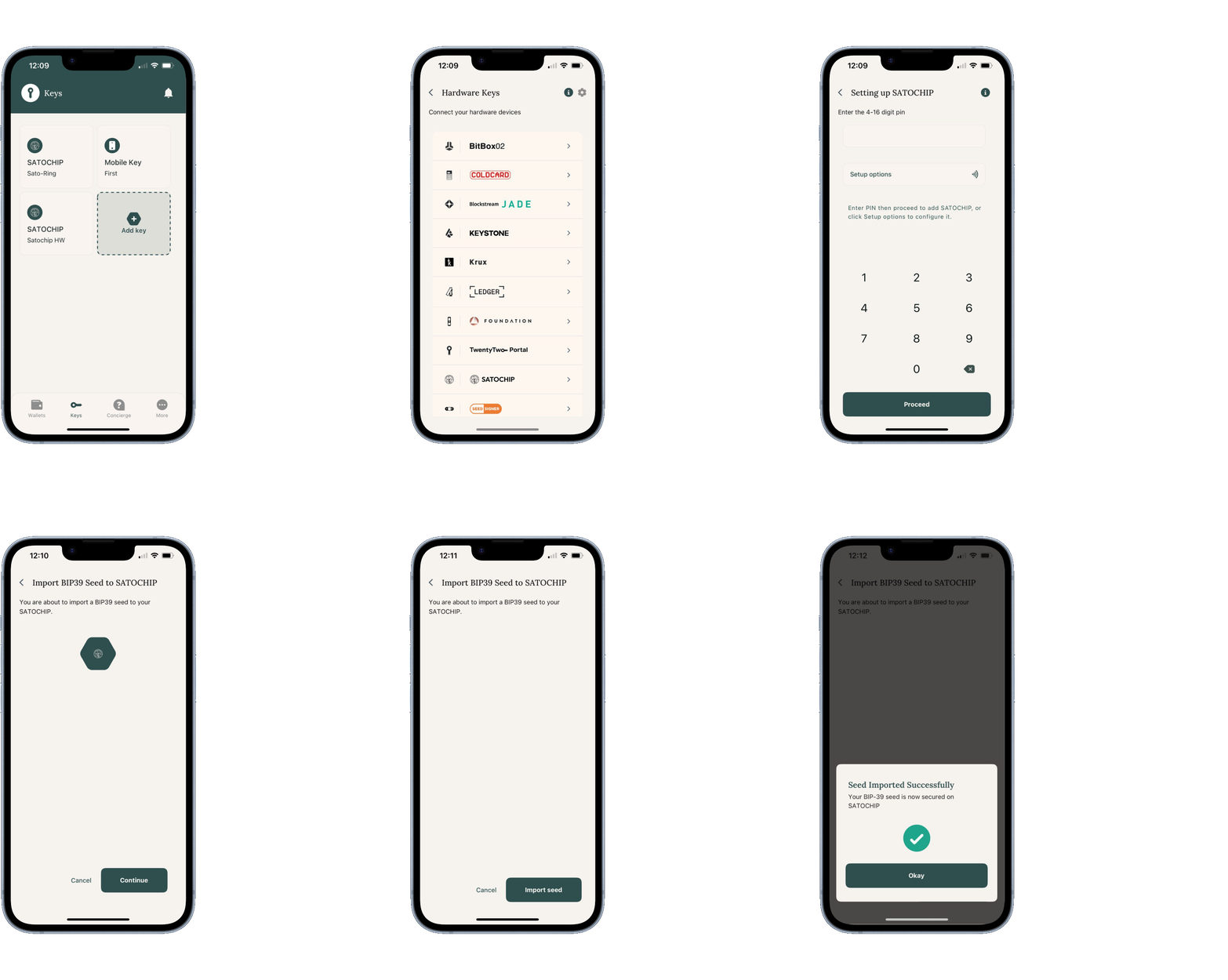
3. Import your backup seedphrase
Now that your Satochip hardware wallet has a PIN code, we can seed it with your existing seedphrase.
Congratulations! Your Satochip hardware wallet is now fully initialized and ready to be used.
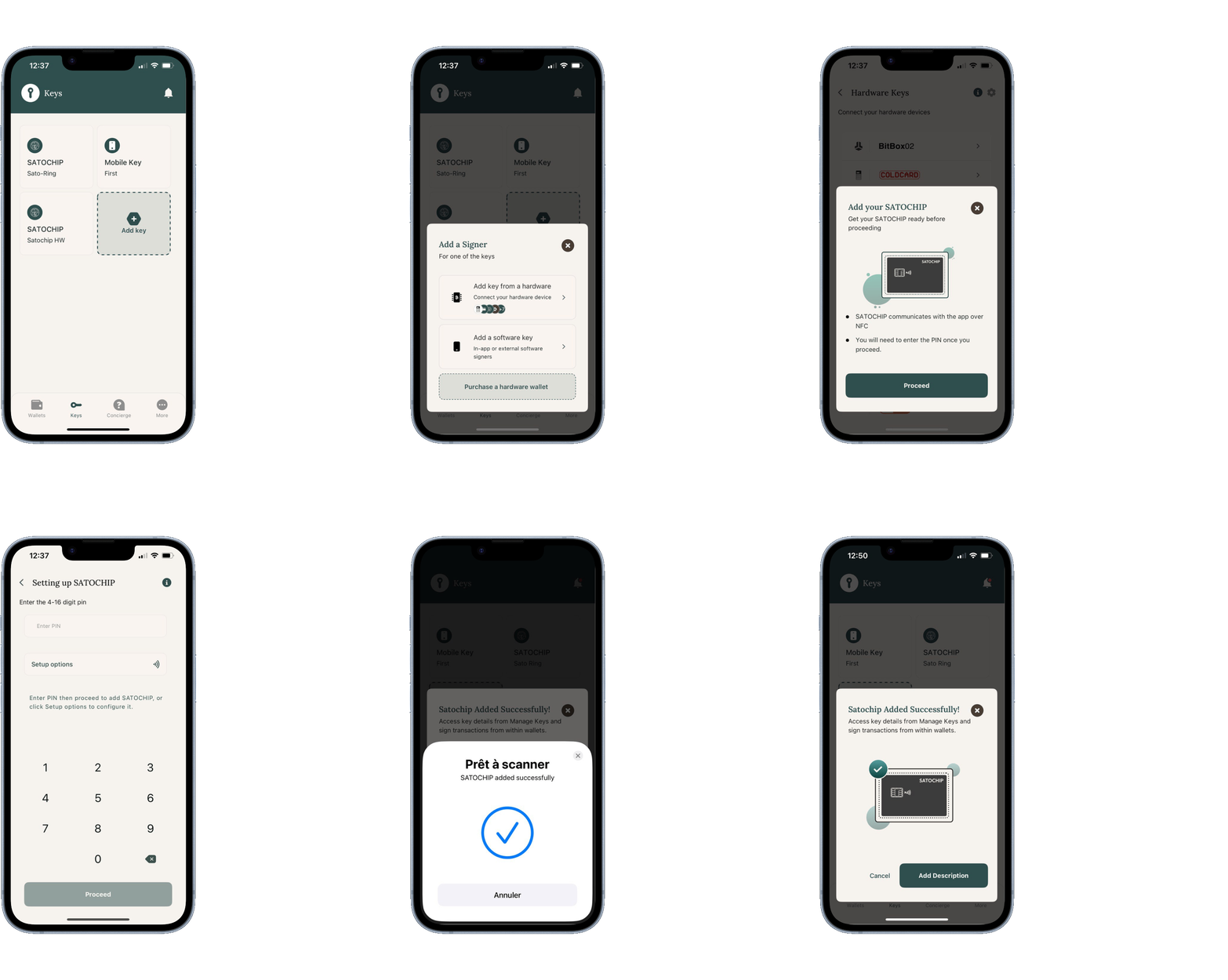
4. Add your initialized Satochip to the keystore
The goal here is to add your freshly initialized Satochip hardware wallet to the keystore of BitcoinKeeper.
Congratulations! Your Satochip hardware wallet has been added in the BitcoinKeeper keystore.
5. Create your Bitcoin wallet secured by Satochip
Congratulations! You have now a fully functional Bitcoin Wallet secured by your Satochip hardware wallet.
Whenever you want to send a transaction, the BitcoinKeeper app will ask you to scan your Satochip on your phone.
Your keys, your coins!